5 Simple Ways to Complete Your FAB Balance Check
If you’re a First Abu Dhabi Bank (FAB) customer, you need quick and easy ways to see your account balance and recent transactions. Whether you’re paying bills, managing your salary, or just keeping an eye on your spending, knowing your balance is essential.
Don’t worry, we’ve gathered all the information you need right here. This guide shares five official and straightforward methods for your FAB balance check, so you can effortlessly stay on top of your finances from anywhere.
How to Check Your FAB Bank Balance: 5 Methods
FAB provides several convenient options for customers. You can use the mobile app, the official website, any FAB ATM, a simple SMS, or the customer support helpline. Below, we break down each method step-by-step.
Method 1:FAB Balance Check Online (Website Portal)
The FAB online banking portal is a robust platform for managing your accounts. You can view your balance, see detailed transaction history, and perform other banking tasks securely from your computer. This method is especially useful for checking a prepaid card balance.
Step 1: Visit the web: Web-based Pre-Paid Card Inquiry

Step 2: Enter the last two digits of your 16-digit Card number

Step 3: Provide Card ID: Input the Card ID found on your FAB prepaid card.

Step 4: View Balance: Click “Go” to see your current balance.

Method 2: Using the FAB Mobile App
For banking on the go, the FAB mobile app is your best friend. It’s a powerful tool available for both iOS and Android devices that allows you to perform a fab bank balance check in seconds.
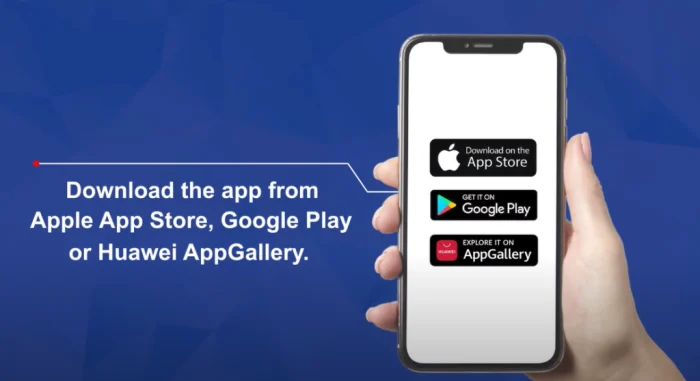
Step 1: Get the “FAB Mobile” app from the Playstore, Apple Store, Hauwei App Gallary
Step 2: Log In or Register: Open the app and log in. If it’s your first time, you’ll need to register using your Customer ID or Debit/Credit Card number.

Step 3: Complete Verification: Enter the split password sent to your registered mobile number and email address to verify your identity.

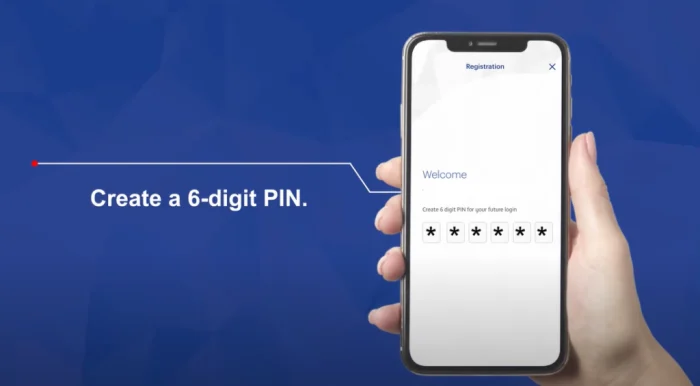
Step 4: Create a PIN: Set a secure 6-digit PIN for quick access. You can also enable Face ID or fingerprint scanning.
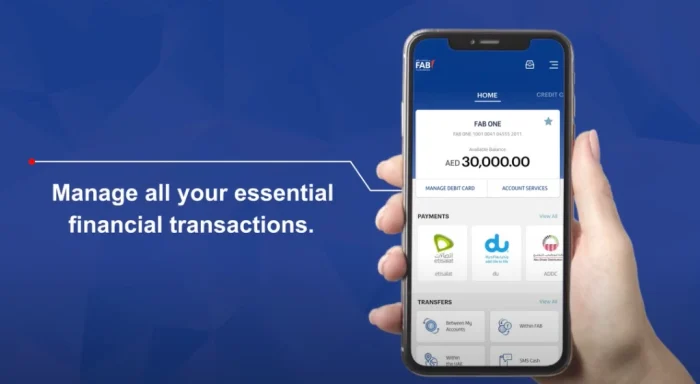
Step 5: Check Your Balance: Once logged in, your account balance will be clearly displayed on the app’s home screen.
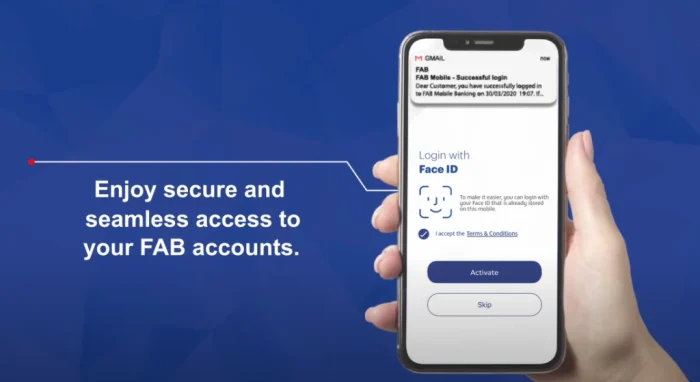
Step 6: Your balance will be shown on your app screen after login
Method 3: At a FAB ATM
The traditional method of using an ATM is still one of the most reliable ways to get your balance. You can use any FAB ATM across the UAE.
- Insert Your Card: Simply insert your FAB ATM or Debit Card into the machine.
- Enter Your PIN: Type in your 4-digit PIN.
- Select “Balance Inquiry”: Choose the balance inquiry option from the on-screen menu.
- View Your Balance: Your current account balance will be displayed on the screen. You can also choose to print a receipt.
Simply insert your FAB ATM card, enter your PIN, and select the “balance inquiry” option. After a while you have account balance on ATM screen.
Method 4: Via SMS Banking
When you don’t have internet access, the SMS banking service is a lifesaver. This quick method sends your balance directly to your phone.
- Simply compose a new text message.
- Type BAL followed by the last four digits of your account number (e.g., BAL 1234).
- Send the message to 2121.
You will receive an SMS reply from FAB almost instantly with your current account balance.
Method 5:Through Customer Call Support
If you prefer speaking to a person or are having trouble with the other methods, you can always call FAB’s customer service.
- Dial the 24/7 customer service line at 600 52 5500.
- Follow the automated menu or ask to speak with a representative.
- You will need to answer a few security questions to verify your identity. Once confirmed, the representative will provide you with your account balance.
Specific Guides for Different FAB Accounts
Checking a salary or Ratibi card involves slightly different steps.
How to Perform a Ratibi Card Balance Check
The FAB Ratibi card is a prepaid salary card. You can perform a ratibi fab balance check using these methods:
- ATM: Insert your Ratibi card into a FAB ATM. You can check the balance without a PIN.
- Online Portal: Use the prepaid card inquiry website mentioned in Method 1.
- SMS: Text “Ratibi” followed by your 16-digit card number to 2121.
FAB Salary Account Balance Check
For a standard FAB salary account, all five methods listed above will work. The mobile app and online banking are often preferred as they provide a full transaction history, helping you track when your salary was credited.
FAB Cashback Offers For Expats

Common Issues and Quick Fixes
Sometimes technology doesn’t cooperate. Here are solutions to common problems.
SMS Not Working?
If you send the SMS and don’t get a reply, first check that you are sending it from the mobile number registered with FAB. If the number is correct, ensure you have enough credit to send a local SMS.
Can’t Log In to the App?
If you forget your app PIN or password, use the “Forgot PIN/Password” option on the login screen. The app will guide you through a secure reset process, usually involving your card details and a one-time password (OTP) sent to your phone.
How to Redeem Cashback
On FAB cards, cashback is typically credited directly to the cardholder’s account, where it can be used to balance future costs. The process is programmed and requires no extra effort from the cardholder.
After all, Try to follow the above-mentioned steps and you’ll be able to FAB bank balance check easily, review your transactions, and keep your expense and budget under your notice.
FAQ
1. What is the quickest way to do a FAB balance check?
The fastest methods are using the FAB Mobile App, where the balance is on the home screen after login, or the SMS banking service, which provides an instant reply.
2. How can I check my FAB balance without internet?
You can check your balance without internet access by using any FAB ATM or by sending an SMS to 2121. You can also call the customer support number at 600 52 5500.
3. Is there a charge for the FAB ATM balance check?
No, checking your balance at a FAB-branded ATM is free of charge. However, using another bank’s ATM might incur a fee.
4. How do I perform a FAB balance check salary online?
To check your salary account balance online, log in to the FAB online banking portal or the FAB Mobile App. Your balance and transaction history, including salary credits, will be visible on the main dashboard.
5. What is the FAB bank balance check number for SMS?
The number for SMS banking is 2121. Just send “BAL” followed by the last four digits of your account number to this number.
A Note on FAB Cashback Offers
As a FAB customer, it’s worth knowing about the bank’s credit card perks, especially the cashback offers that can help you save money. Cards like the FAB Cashback and FAB Elite Infinite offer refunds on spending for fuel, groceries, and travel. This cashback is usually credited directly to your card statement, which you can track through the mobile app or online banking portal.
By following the steps in this guide, you can easily perform a fab bank balance check, review your transactions, and keep your budget under control.