How to Check Emirates ID Fines Online in UAE (2026 Guide)
Living in the UAE means your Emirates ID is your most important document. It’s used for everything from opening a bank account to accessing government services. But what happens when a fine is attached to it? A late ID renewal, a forgotten traffic violation, or an administrative error can lead to penalties linked directly to your ID, potentially causing travel disruptions or issues with visa renewals.
Understanding how to check for these fines is essential for every resident. This guide removes the confusion and provides clear, step-by-step instructions for performing an Emirates ID fine check across Dubai, Abu Dhabi, and all other emirates. We’ll cover the unified federal platforms and the specific local portals you can use to stay informed and penalty-free.
What Are Emirates ID Fines? A Quick Overview
An Emirates ID fine is a penalty linked to your unique identification number by a government authority in the UAE. While many people associate these fines with traffic violations, they can stem from several administrative and residency-related issues.
Common Reasons for Emirates ID Fines
The Federal Authority for Identity, Citizenship, Customs & Port Security (ICP) and other bodies can issue fines for various reasons. These often include:
- Late Renewal: Failing to renew your Emirates ID within 30 days of its expiry.
- Late Registration: Delaying the initial registration for a new Emirates ID.
- Traffic Violations: Many traffic fines, especially those captured by cameras, are linked to the driver’s Emirates ID.
- Incorrect Information: Providing inaccurate data during the ID application process.
- Administrative Errors: Fines related to company or visa sponsorship rules.
Why You Must Check for Fines Regularly
Unpaid fines don’t just disappear. They remain on your record and can accumulate. If you have an outstanding fine, you may be prevented from leaving the country at airport immigration. It can also complicate processes like renewing your visa, sponsoring a family member, or other official transactions. A regular check takes only a few minutes and gives you complete peace of mind.
Unified Fine Checking: The Easiest Methods for All Emirates
For a streamlined experience, the UAE federal government provides unified platforms that consolidate fines from across different emirates. These are often the quickest way to get a complete picture.
Using the Ministry of Interior (MOI) Website
If you’re a Dubai resident, here’s how to quickly check the fines on your Emirates ID using their website and mobile app.
The MOI website is a powerful tool for checking fines linked to your Emirates ID, regardless of where you live in the UAE.
- Visit the MOI Portal: Navigate to the official Ministry of Interior website.
- Find “Payment of Traffic Fines”: Look for this service under the E-Services section. Don’t worry about the “traffic” label; this service covers fines linked to your ID.
- Log In or Search: You will be prompted to log in using your UAE Pass for a comprehensive view. Alternatively, you can often search directly.
- Search by Emirates ID: Choose the option to search for fines using your Emirates ID number.
- Enter Your Details: Type in your ID number and any other required information.
- View Your Fines: The system will display a list of any outstanding fines linked to your profile.
Using the MOI UAE App
For checking on the go, the MOI UAE mobile app is incredibly convenient.
- Download the App: It’s available for both iOS and Android devices.
- Log In: Sign in using your UAE Pass credentials. This is the most secure and effective method.
- Navigate to Fines: Find the section dedicated to traffic or fine services.
- Initiate Search: The app will often use your logged-in profile to automatically search for fines linked to your Emirates ID. If not, select the option to search by ID number.
- Review Results: Any associated fines will be clearly listed.
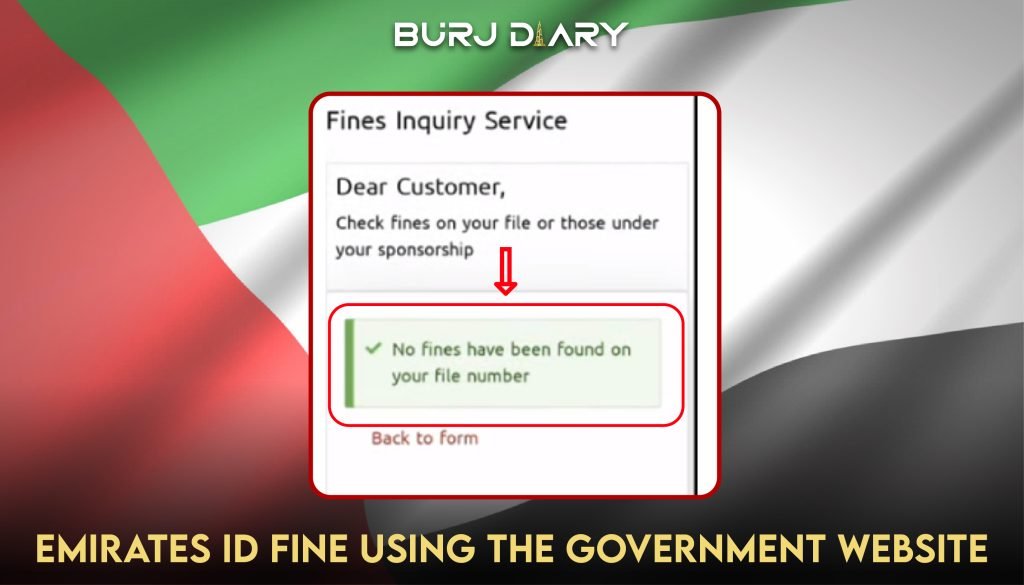
This picture shows that there are currently no fines. If present, the fines amount will be mentioned here instead.
Checking Emirates ID Fine in Dubai Using the Dubai Police App
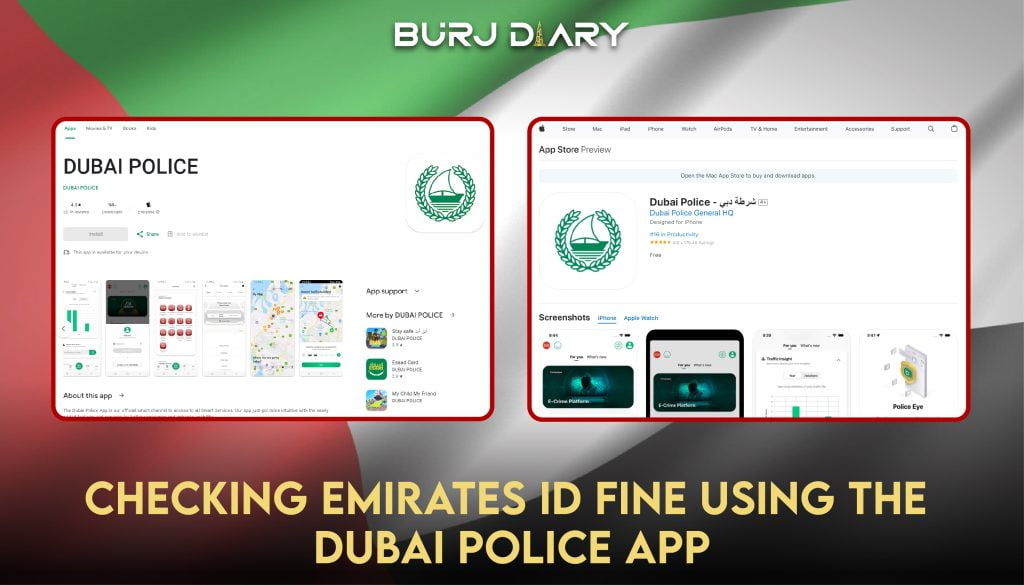
- Download the Dubai Police App on your Phone
- Register (first-time users) or log in through UAE pass by filling in your Emirates ID and password
- Go to the activity feed tab
- After logging in, you’ll see different activity options. You’ll click on the activity feed button for fine-checking.
- View Fine. If there’s any fine on your Emirates ID, it will appear here under the activity feed tab.
Emirate-Specific Guide: How to Check Fines Locally
While federal platforms are useful, sometimes you might need to check directly with a specific emirate’s authorities. Here is a breakdown for each one.
Dubai: Emirates ID Fine Check
Dubai residents have a couple of excellent, user-friendly options.
Using the GDRFA Website
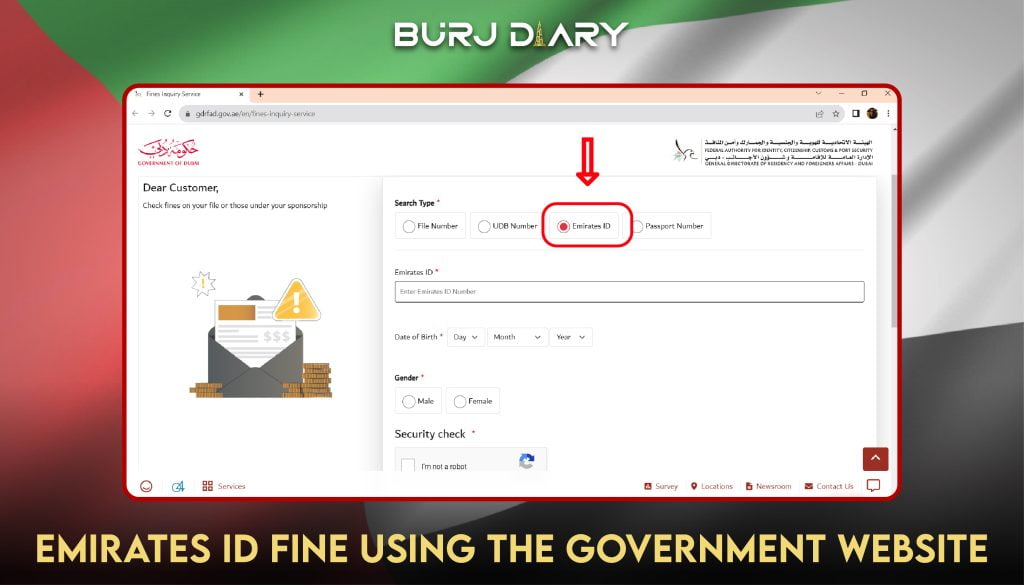
- Go to the GDRFA Dubai website and find the “Fines Inquiry Service.”
- Select “Emirates ID” as your search type.
- Enter your full Emirates ID number, date of birth, and gender exactly as they appear on your card.
- Complete the security check and click “Submit.”
- The next page will show “No fines found” or display a detailed list of any penalties.
Using the Dubai Police App
The Dubai Police app is a must-have for residents and provides instant access to fine information.
- Download the Dubai Police app and log in with your UAE Pass.
- Go to the “Services” tab and select “Traffic Services.”
- Tap on “My Fines” or a similar option.
- The app will automatically display any fines linked to your profile, including those on your Emirates ID.
Abu Dhabi: Emirates ID Fine Check
Abu Dhabi’s services are primarily managed through the integrated TAMM platform.
Checking Emirates ID Fine Abu Dhabi using the TAMM App:
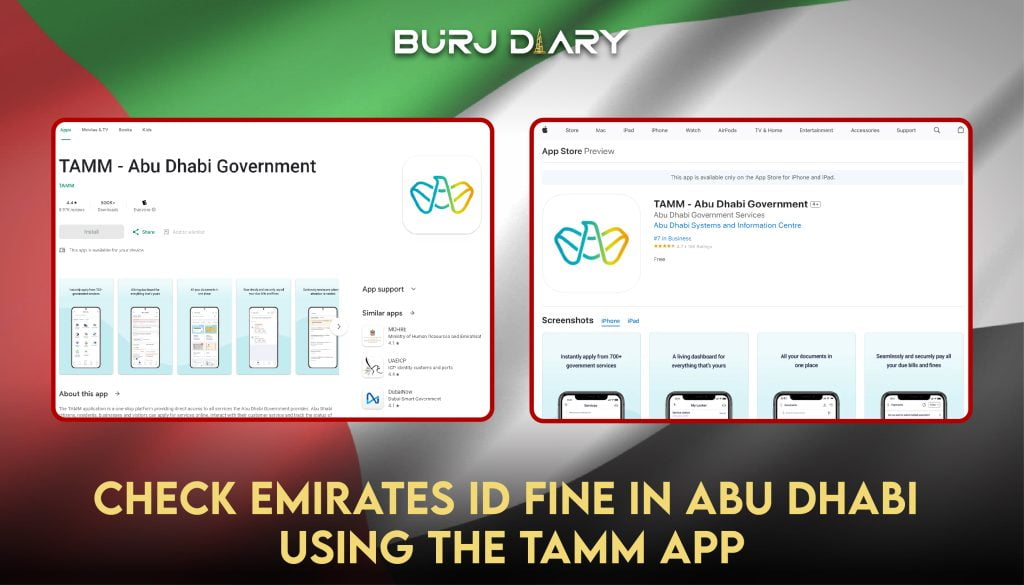
Download the TAMM application on your mobile.
App Store Play Store
Using the TAMM Website
-
- Visit the official TAMM Abu Dhabi portal. You can also start on the Abu Dhabi Police website, which will redirect you to TAMM for fine payments.
- Navigate to the “Vehicles & Transportation” section and find the service for paying traffic fines.
- You will be required to log in with your UAE Pass.
- Once logged in, the system allows you to search for fines by Emirates ID, vehicle plate, or license number.
- Select “Emirates ID” and enter your number to see the results.
Using the TAMM App
- Download the TAMM app on your smartphone.
- Log in securely using your UAE Pass.
- Find the “Payments” or “Fines” section within the app’s dashboard.
- Choose to search by Emirates ID to retrieve your fine details.
Checking Emirates ID Fine Abu Dhabi using TAMM Website:
The Abu Dhabi police and Tamm have integrated websites to facilitate citizens in accessing information on their Emirates ID, traffic fines and other details. So, even if you start through the Abu Dhabi website, it will take you to the TAMM website to perform fine-check inquiries. Here’s how you can use this to view the Emirates ID fine check.

- Open the Abu Dhabi Police Website: https://www.adpolice.gov.ae/. It will open as shown above.
- Select option of traffic fines payment. It will lead to the Tamm website page for fine payment checks, as shown above.
Or You can skip the above steps and directly visit the Tamm website fine payment page.

- Press the yellow start. It will lead you to the UAE Pass login.
- Log in using your account ID and Password. Your fines will appear in the results if present.
Sharjah: Emirates ID Fine Check
There’s a separate website and app for Sharjah Police where citizens can check their Emirates ID fines. Here’s how:
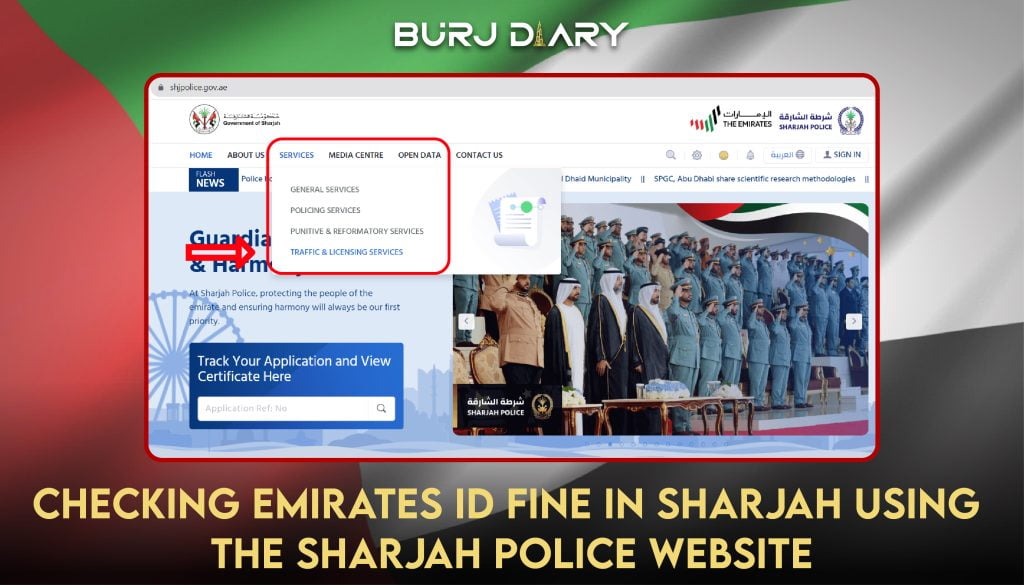
Checking Emirates ID Fine Sharjah Using the Sharjah Police Website:
- Go to the online portal of Sharjah Police at https://www.shjpolice.gov.ae/
- Navigate to the traffic and license services option under the services tab.
- Click on the Traffic Fine Button.
- Start Service by entering your ID details or vehicle number.
- The present Emirates ID fine check will be shown, and you can pay it online by adding your card details in the next steps on the page.
Checking Emirates ID Fine Sharjah using the Sharjah Police App
- Get the Sharjah police app on your phone
- Log in to the app using your Emirates ID or Register first if you’re a first-time user.
- Go to the traffic fines tab under the traffic services button.
- Your traffic fines will be displayed on the next page.
Ajman: Emirates ID Fine Check
The Ajman residents would use the website and app of Ajman Police to check and pay the traffic fines that are issued to their Emirates IDs. Also check out our comprehensive guide to the fine related and other facilities provided by the Traffic Services and Licensing Center Ajman.

Checking Emirates ID Fine Ajman Using the Ajman Police Website:
- Open the Ajman Police Website.
- Go to the payment of fines button under the services list.
- Click Start Services. You’ll be asked to log in by entering your ID and password.
- After logging in, add your ID number/vehicle/license details.
- Your fines will be displayed; follow the payment tab to pay your fines.
Checking Emirates ID Fine Ajman using the Ajman Police App:
- Install the Ajman Police App
- Log in via UAE Pass ID.
- Search for the payment of traffic fines tab under services and click on it.
- Choose your search type; you can find your details using your ID number or vehicle information.
- The relevant fines will appear in the results.
- For fines payment, press the pay button, choose your payment type (debit/credit), add card details and enter.
Fujairah: Emirates ID Fine Check
The process for checking ID and Traffic fines in Fujairah is also the same.

Checking Emirates ID Fine Fujairah using the Website:
You can use either the direct website of Fujairah Police or go to the Ministry of Interior website. The steps for both are almost the same.
- Open the website and find the option of payment of traffic fines.
- Click start service; you’ll be asked to Enter ID details to log in.
- Now, search for fines by writing either your ID card Number, Vehicle Number or license details.
- View the fines displayed. Follow the payment directions on the screen to make online fine payments through debit or credit cards.
Checking Emirates ID Fine Fujairah using the App:
- Install either the Fujairah Police App or the MOI’s App
- Sign in to the mobile app
- Find the traffic fines services section and search for fines by entering your Emirates ID
- If there are any fines, they will appear in the results
Ras Al Khaimah: Emirates ID Fine Check
Use the website and app of Ras Al Khaimah Police to check traffic fines in the region.

Checking Emirates ID Fine Ras Al Khaimah using the RAK Government Website:
- Open the traffic fine section on the official website of RAK government by clicking on the link.
- Press the start services button. The rest of the process is the same.
- Singing in with UAE Pass, adding ID details under the fine payments section and hitting the search button.
- Fine details will appear.
Another alternative is using the MOI website by following the same steps as explained above (Open Fine Payments option, Press Start Service, log in and search fines by using ID or other vehicle details).
Checking Emirates ID Fine Ras Al Khaimah using MOI and EVG Smart App:
- Download the respective apps on your phone.
- Register with your ID and email details and log in.
- Navigate to the option of fine payments. It can be on the home page or under the traffic fines section.
- You can view fines by writing your license number, ID number or vehicle number.
- Fines will appear in search results. Then, choose your desired payment method and proceed to pay your traffic fines online.
Umm Al Quwain: Emirates ID Fine Check
For Umm Al Quwain, residents will use the official website and app of their police department to check and pay their fines.
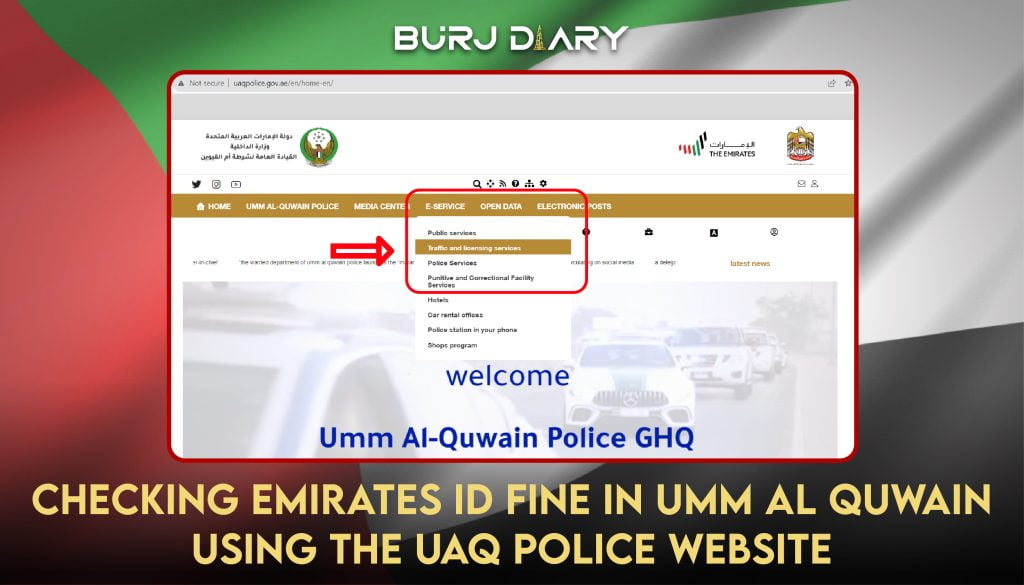
Checking Emirates ID Fine Umm Al Quwain Using The UAQ Police Website:
- Go to the official website of Umm Al Quwain Police.
- Click on E-service and open the option of traffic and licensing from the drop-down menu.
- Open the payment of traffic fines tab. It will take you to the MOI portal.
- Now, start the service by registering or logging in with your ID. Your fine details will be displayed, and you can pay online by filling in your card details in the payment method section.
Checking Emirates ID Fine Umm Al Quwain using the MOI App:
Here again, you can use the mobile app of MOI to see your fines.
- Download the App
- Register or log in as applicable. Go to the fine payment tab and hit start services.
- You can view all the traffic fines related to your Emirates ID and can also pay them online
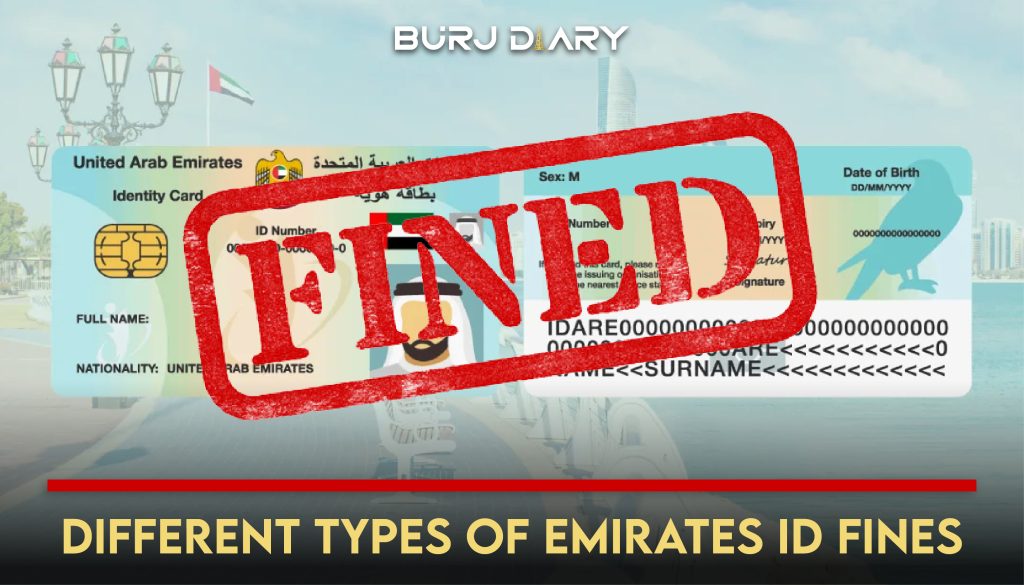
A Breakdown of Common Emirates ID Fines and Penalties
Knowing the potential costs can help you understand the importance of compliance. Here are some standard fines specified by the ICP as of early 2026.
|
Fine Type |
Penalty Amount |
Details |
|---|---|---|
|
Late Renewal/Registration |
AED 20 per day |
This begins 30 days after expiry and is capped at AED 1,000. |
|
Incorrect Application Data |
AED 3,000 |
For deliberately providing false information. |
|
Reporting Lost/Stolen Card |
AED 300 |
This is the fee for replacement, not a penalty. |
|
Application Typing Errors |
AED 100 |
For minor errors made at a typing center. |
What to Do After You Find a Fine on Your Emirates ID
Discovering a fine is the first step. The next is to resolve it promptly.
Step-by-Step Payment Process
- Verify the Fine: On the portal where you found the fine, review its details—date, reason, and amount—to ensure it’s correct.
- Select for Payment: Most platforms will have a checkbox next to each fine. Select the ones you wish to pay.
- Proceed to Payment: Click the “Pay” or “Proceed to Payment” button.
- Enter Card Details: You will be taken to a secure payment gateway. Enter your credit or debit card information.
- Confirm and Save: After the transaction is successful, you will receive a confirmation. It’s wise to save a digital receipt or screenshot for your records.
Can You Dispute a Fine?
Yes, in some cases, you can. If you believe a fine was issued in error (e.g., you were not in the location specified, or it’s a case of mistaken identity), you have the right to dispute it. The process typically involves:
- Visiting the relevant traffic department or authority that issued the fine (e.g., Dubai Police, Abu Dhabi Police).
- Presenting evidence to support your claim, such as travel records or other documentation.
- Submitting a formal dispute request.
This process varies by emirate, so it is best to check the official website of the issuing authority for the exact procedure.
FAQ
1. How can I check my Emirates ID fine with just the ID number?
You can check with just your ID number on platforms like the GDRFA Dubai website. For most other platforms, like TAMM (Abu Dhabi) and the MOI portal, you will need to log in with your UAE Pass for a secure and comprehensive search, which then uses your Emirates ID from your profile.
2. Is there a mobile app to check all UAE fines?
The “MOI UAE” app is the closest to a universal app for checking fines across all emirates. It consolidates data from various local police departments. For the most accurate results in Dubai or Abu Dhabi, it’s also recommended to use the “Dubai Police” and “TAMM” apps, respectively.
3. What is the grace period for renewing an Emirates ID to avoid fines?
You have a 30-day grace period after your Emirates ID and residency visa expire to renew them. After this period, a late fine of AED 20 per day will start accumulating, up to a maximum of AED 1,000.
4. Can I pay my Emirates ID fine in installments?
Some emirates and banks offer installment plans for large traffic fines. For example, Dubai Police and certain banks collaborate to offer 0% interest payment plans. You should check directly with the authority that issued the fine or your bank to see if this option is available for your specific penalty.
5. Will an unpaid fine prevent me from traveling?
Yes, it absolutely can. All outstanding fines are linked to your immigration file. When you try to exit the country, immigration officers will see the unpaid fines and may prevent you from boarding your flight until they are settled. It is crucial to clear all fines before traveling.
6. How do I check for fines if I no longer live in the UAE but have a previous Emirates ID?
You can still use the online portals mentioned, such as the MOI or Dubai Police websites. You can use the “Inquire” function, which may not require a UAE Pass login. You would need your old Emirates ID number and potentially your date of birth to search the system.
7. My traffic fine is not showing up online. What should I do?
There can sometimes be a delay between when a fine is issued and when it appears in the online system. This can take anywhere from 24 hours to a few days. If you know you committed a violation but it’s not showing up after a week, you can contact the respective traffic department directly for clarification.