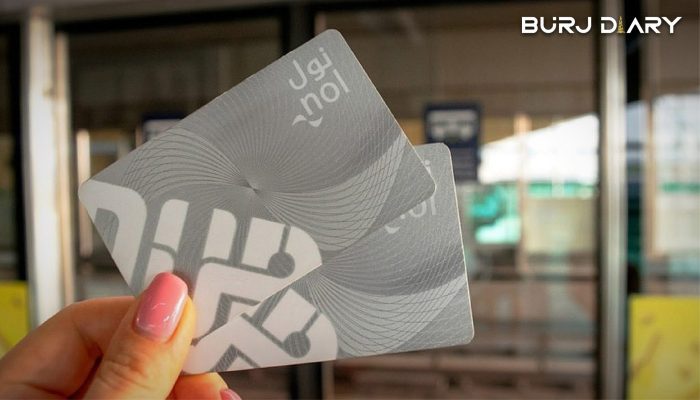
How to Check Your Nol Card Balance: The Complete 2026 Guide
Whether you use Dubai’s public transport daily or are just visiting, running out of credit on your Nol card can disrupt your journey. Knowing your balance is essential for smooth, uninterrupted travel on the Metro, bus, tram, or water taxi. Thankfully, Dubai’s Roads and Transport Authority (RTA) provides several simple ways to perform a Nol card balance check.
This guide provides step-by-step instructions for all updated methods in 2026.If you want to visit rpay balance check visit. We will cover how to check your Nol card balance online, through mobile apps, and at physical locations, ensuring you always have enough credit for your travels.
Nol Card Balance Check Online: 4 Quick Methods
Checking your balance online is fast and convenient. You can do it from home, work, or on the go using your smartphone or computer. Here are the four best online methods.
Method 1: RTA Website
The official RTA website is a reliable tool for a quick balance inquiry. You don’t need to log in, making it an excellent option for a fast check.
- Visit the RTA Website: Open your web browser and navigate to the official RTA public transport portal.
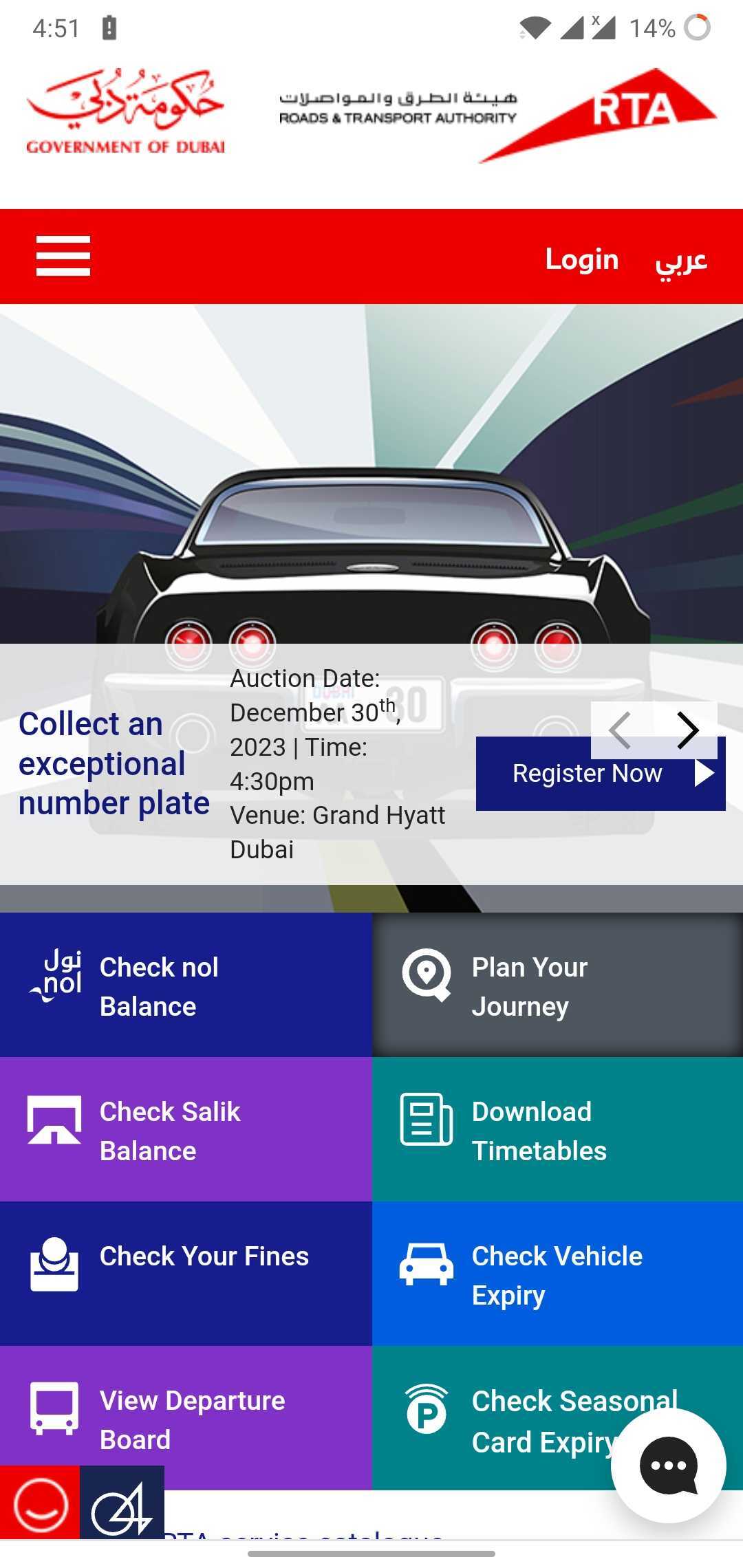
- Locate the Balance Check Feature: On the homepage, look for a section or link titled “Check NOL Balance.”
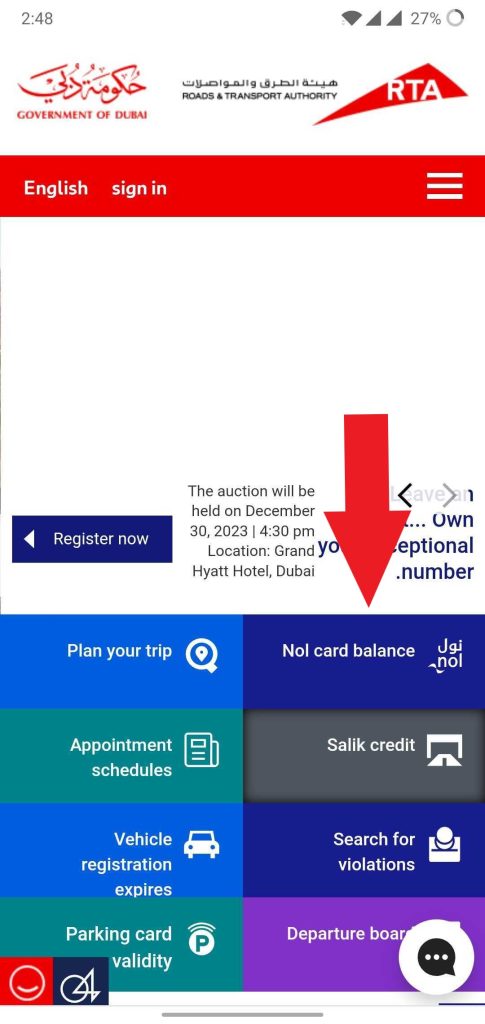
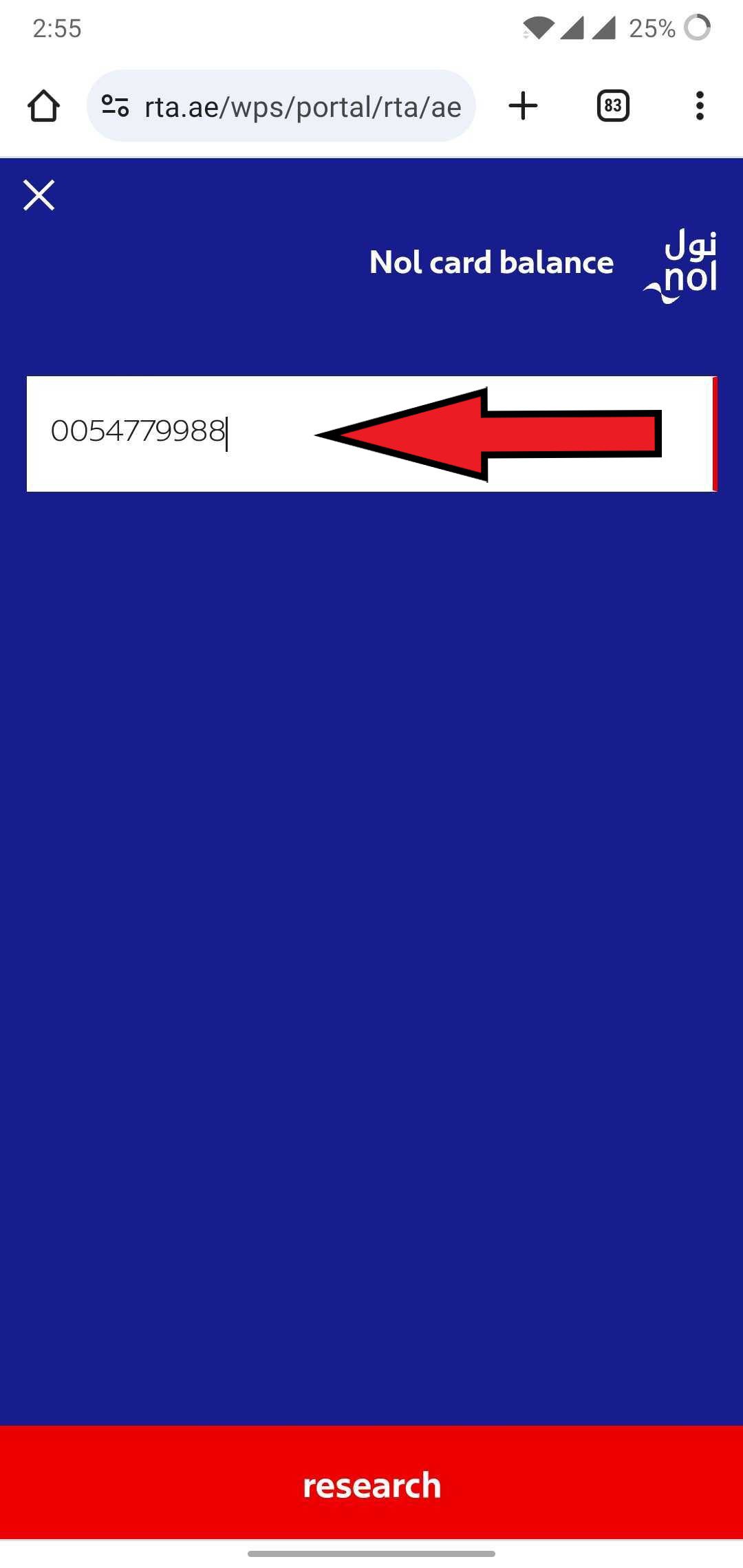
- Enter Your Nol Tag ID: Your Nol Tag ID is the 10-digit number printed on the back of your card. Enter this number into the provided field.
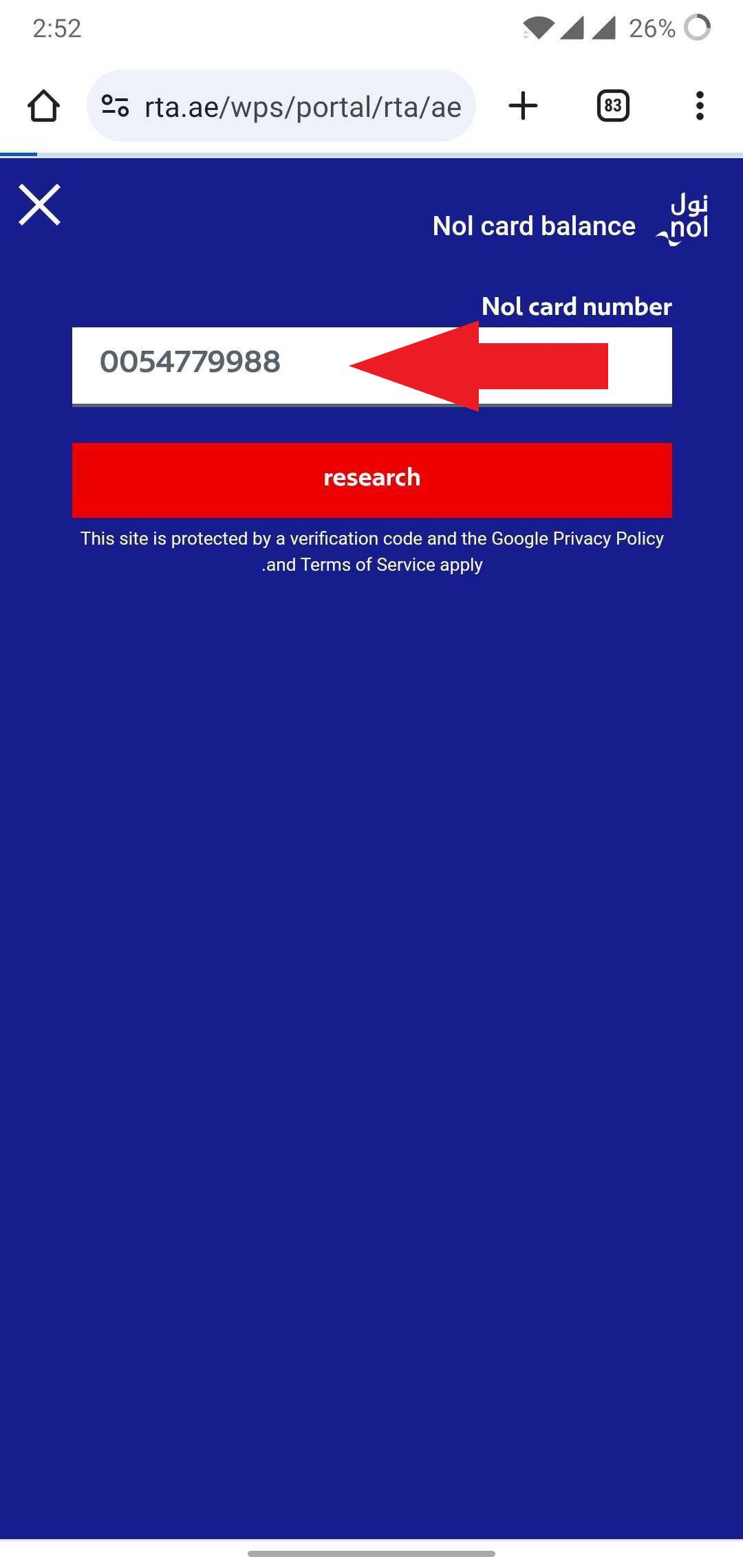
- View Your Balance: Click the “Search” or “Check” button. The website will display your current Nol card balance, along with other details like the card’s expiry date.

Method 3: Nol Pay App (For NFC-Enabled Phones)
For smartphone users, the Nol Pay app is the most advanced way to manage your card. It uses your phone’s Near Field Communication (NFC) technology to read your card directly, providing instant balance and transaction history.
Step 1: Open the Nol How page in Google or directly by this link
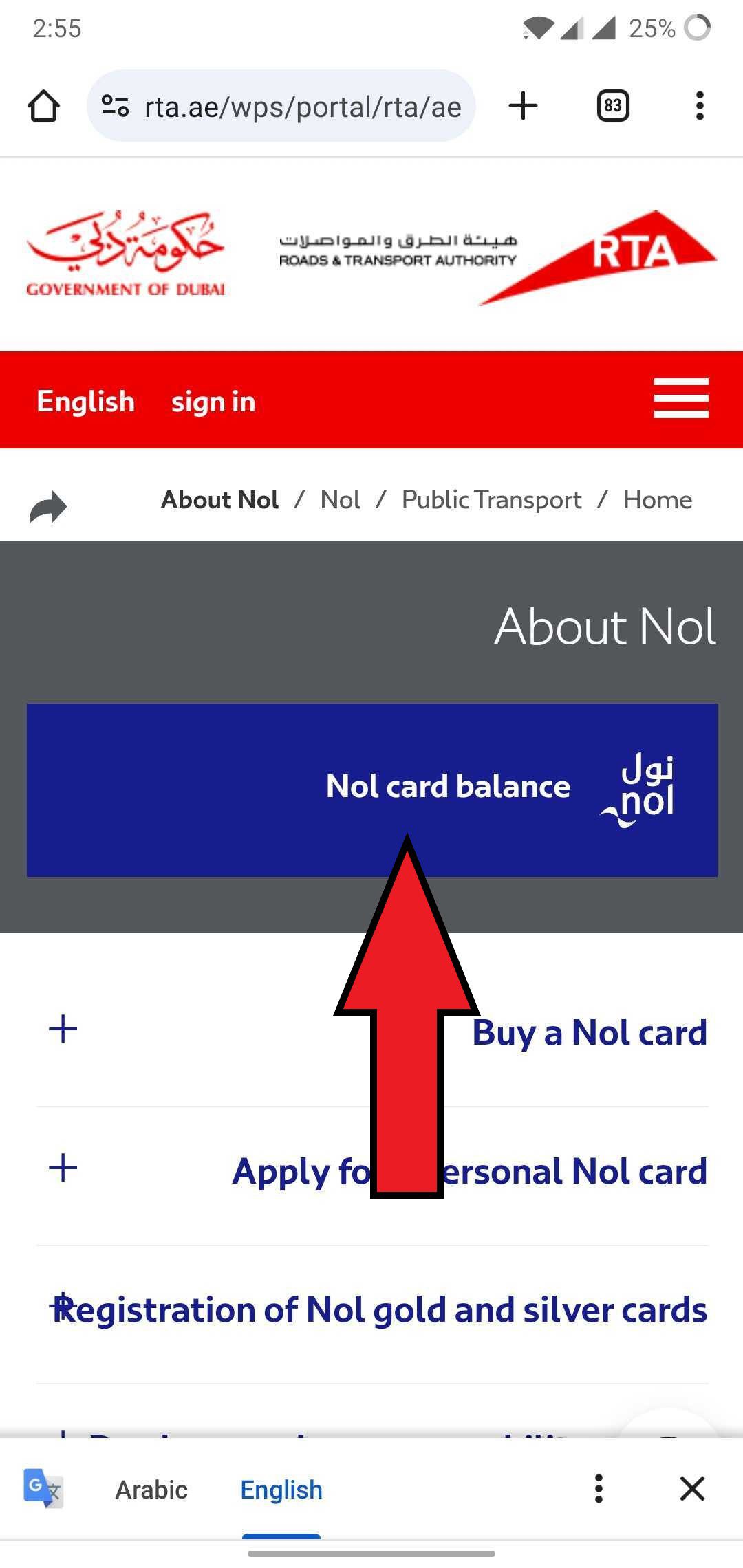
Step 2: Enter the NOL Tag ID and hit search
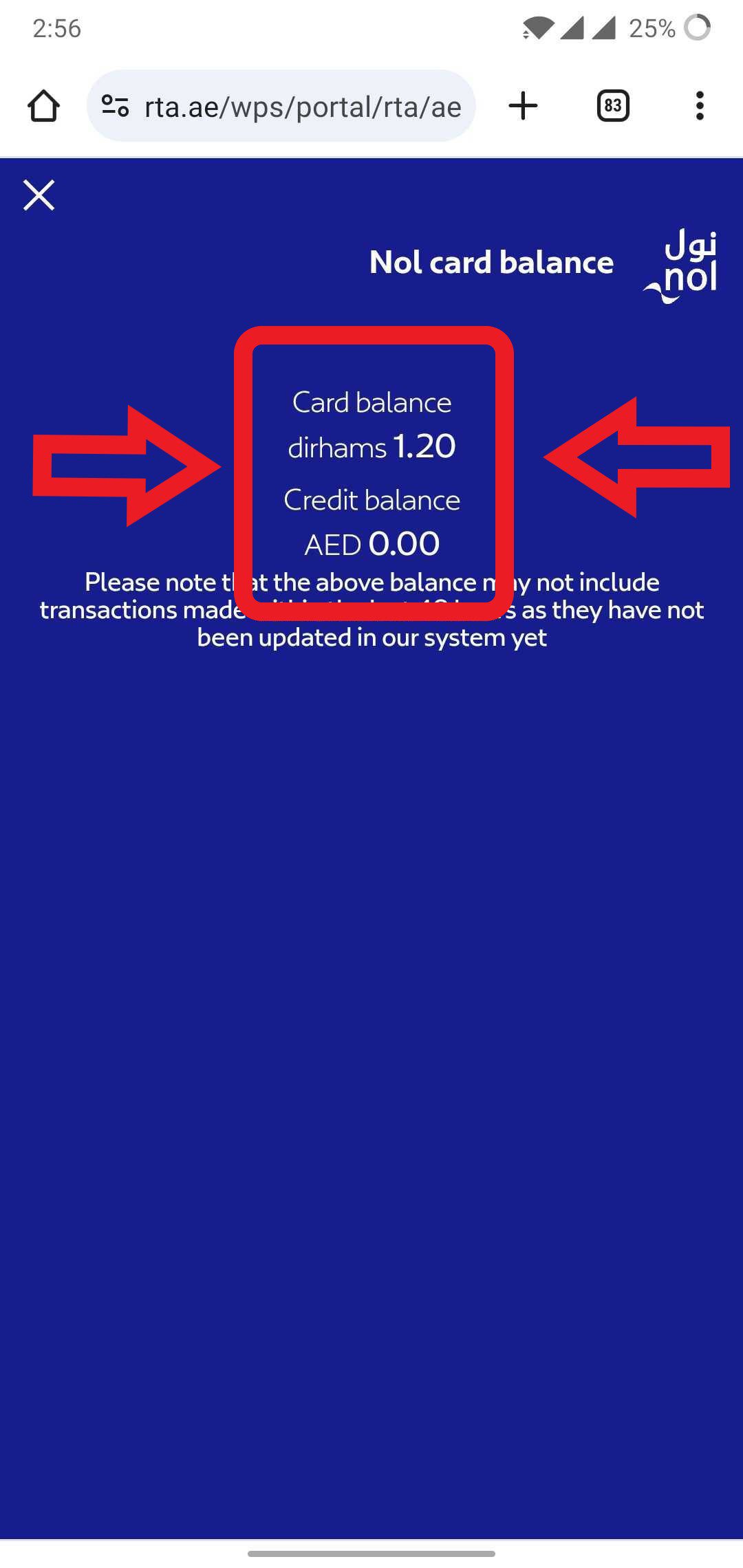
Step 3: The credit amount available on your card will be displayed
Method 4: Dubai Now App
The Dubai Now app is a unified platform for over 130 city services, including Nol card management. If you use this app for other services like paying bills, it’s a convenient place to check your balance.
App Store
Play Store
Huawei
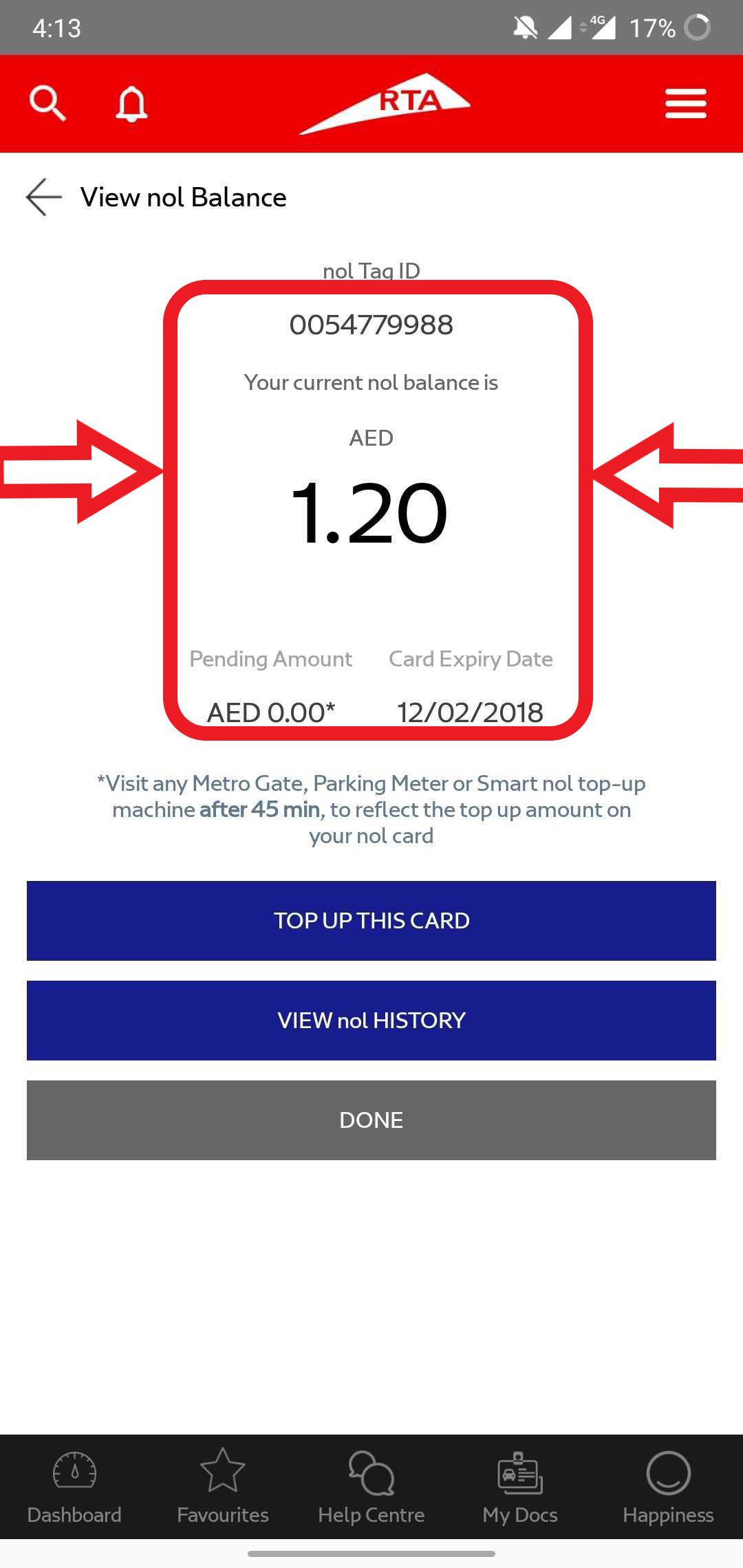
The RTA Dubai has also launched mobile apps to make it more convenient for people to access their card details whenever they want.
Here’s how to use this app to view your Nol credit details online on your phone.
Step 1: Open the app on your mobile and Use it as a Guest or Login
Step 2: Click on Public Transport

Step 3: Navigate to the Check Your Nol balance button and Tap on it
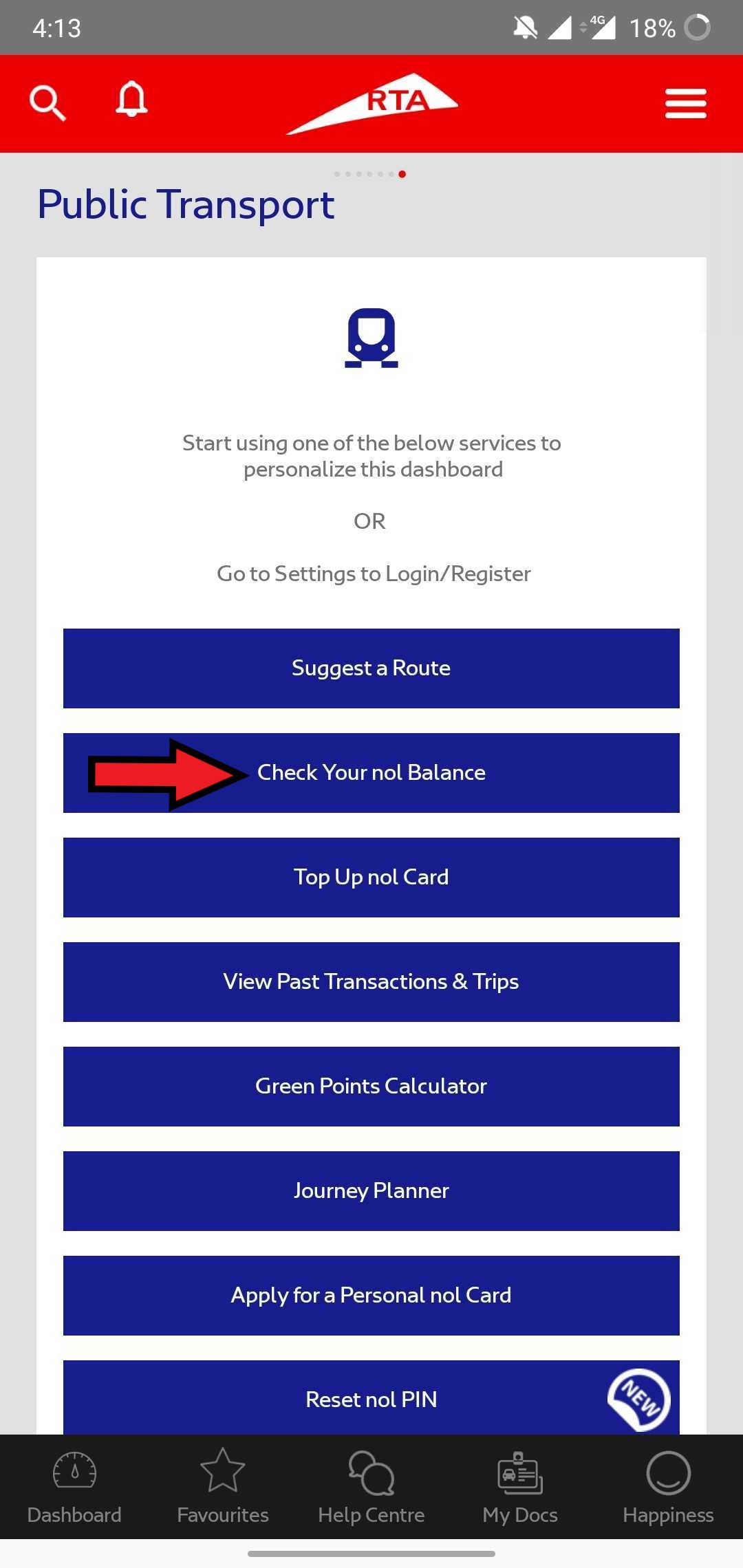
Step 4: Now Enter your card’s Tag ID and Tap view balance tab

Step 5: Your Nol card balance details will appear on your Screen
Method 4: Using the Nol Pay App
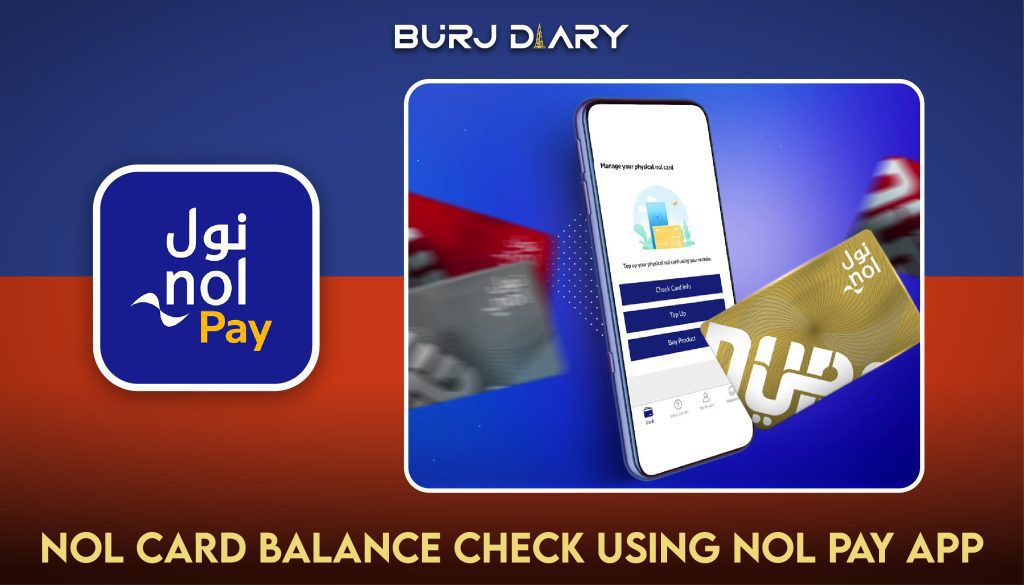
There’s a separate Nol Pay app introduced by RTA to help citizens better manage their Nol card activities. You can view your balance details, recharge your NOL cards, and monitor other transaction details easily by installing this app on your phone. Here’s how you can check the Nol balance using the Nol Pay Application.
Nol Pay App Download


Step 1: Open the Nol Pay App
Step 2: After that tap on the Check Card Info tab under the More Services option

Step 3: Now Scan the back side of your NOL card with the NFC feature of your Phone
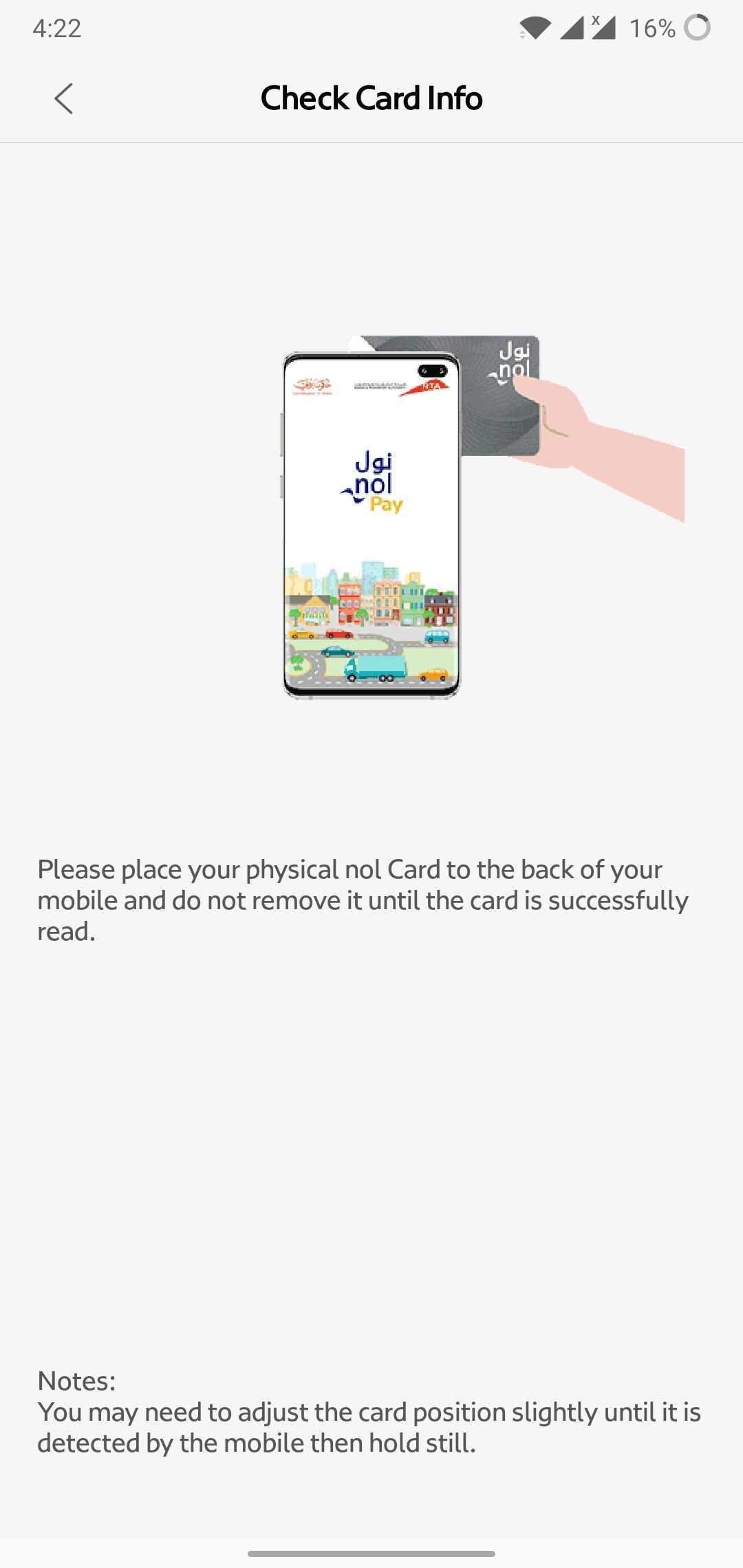
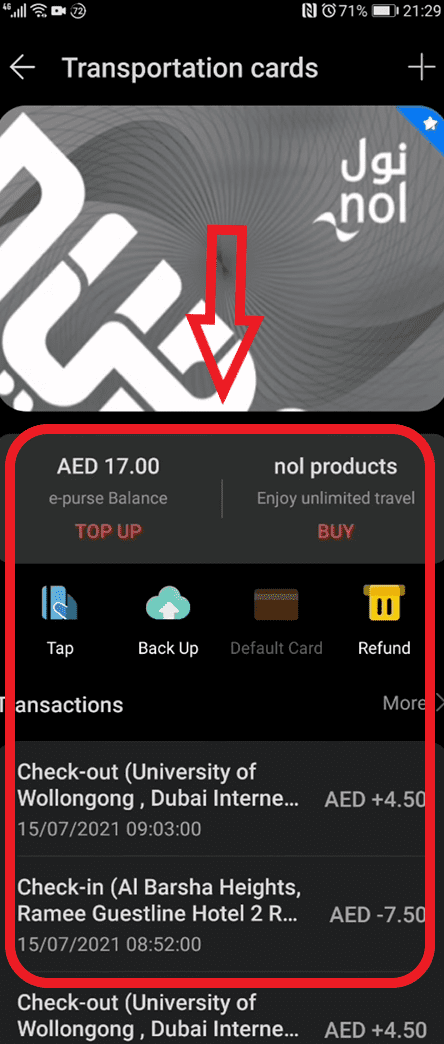
Step 4: Now your Balance & Transaction history will be displayed on your screen
How to Check Nol Card Balance Offline
If you are already at a station or don’t have internet access, you can use these simple offline methods.
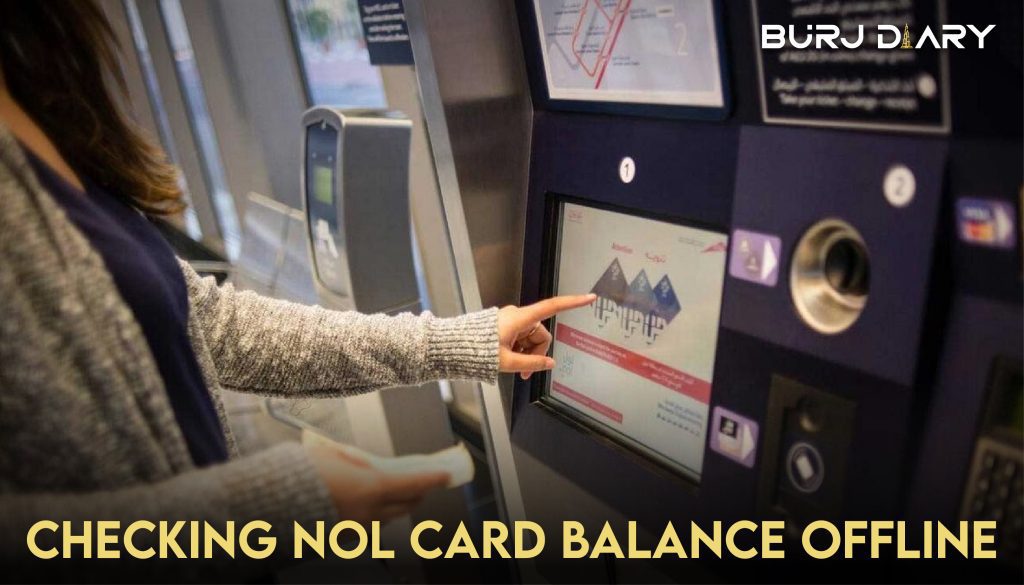
Nol balance details can also be checked offline using ticket vending machines or the kiosk machines present at various bus/metro stations and malls in Dubai. Following are the common ways of doing NOL card balance check offline.
Through TVM/Kiosk
Step 1: Insert your card into the relevant machine through the given card slot
Step 2: Go to the balance check option by following the machine instructions
Step3: Your balance details will be shown on the machine screen
Through SMS
Step 1: The first step is registration. Type your Nol Tag ID number in the message and send it to 511
Step 2: After registration, type Balance or BAL in SMS and send it again to 511
Step 3: You will receive your balance details in reply
Nol Card Types
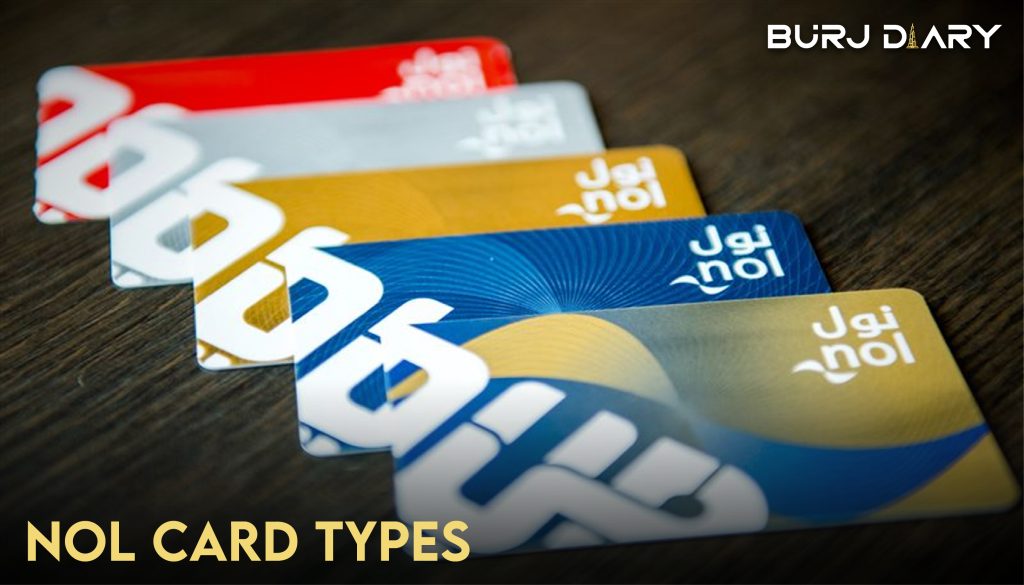
The Nol card comes in different colored types, each with different costs, benefits, and validity periods. You can buy the one that suits your needs and enjoy convenient commuting all over Dubai any time you want. Remember that balance in all card types can be viewed using the above Nol card balance check guide. Here’s an overview of different types and their relevant details.
| Nol Card Type | Use and Benefits | Cost (AED) | Validity Period | Maximum Recharge Limit (AED) |
|---|---|---|---|---|
| Personal/Blue | It is suitable for personal use and can be used on all kinds of public transport. You can enjoy online top-ups and specific fare concessions using this card. Balance recovery is also provided if the car gets stolen. | 70 | 5 years | 5000 |
| Silver | Ideal for first-time or new users as a regular card. It can be utilized for all sorts of transport and other related services. | 25 | 5 years | 5000 (1000 for non-registered users) |
| Gold | A premium card providing access to all non-transport and transport facilities. It also gives access to gold cabins for metros and trams. | 25 | 5 years | 5000 (1000 for non-registered users) |
| Red Ticket | Good for occasional or one-time users it's a disposable paper-based ticket that can be used for only a single type of transport at once. | 2 | 90 days/ 10 Trips | Since it's a disposable ticket, it has recharged numbers: five daily passes or ten maximum travels. |
Understanding Your Nol Card Balance Details
Sometimes, the information displayed can be more than just a single balance number. Here’s what it means.
What is “Pending Credit”?
When you perform a Nol card balance check online after a top-up, you might see “Pending Credit.” This is the amount you added online that has not yet been activated on the card. To activate it, you must tap your card on any RTA card reader within 45 minutes to 4 hours of the online top-up. This can be done at:
- A metro gate when you tap in or out.
- A Ticket Vending Machine card reader.
- An RTA parking meter.
Once you tap, the pending credit will be added to your main balance.
Checking Your Transaction History
To see where and when you’ve used your card, the best tool is the Nol Pay app. After scanning your card with NFC, it provides a detailed list of your last 10 transactions, including trip costs and top-ups. You can also view a more extensive history by logging into your RTA account on the website and linking your Nol card.
Nol Card Validity and Expiry
Your Nol card is valid for five years. When you check your balance on the RTA website or through the s’hail app, the expiry date is usually displayed alongside your credit amount. Keeping an eye on this helps you avoid service interruptions.
Common Nol Card Balance Issues & Solutions
Here are quick fixes for some common problems you might encounter.
My Online Top-Up Isn’t Reflecting in My Balance
This is the most common issue. As mentioned above, online top-ups create “pending credit.” You must complete a physical tap at a metro gate, parking meter, or TVM to transfer the funds to your card’s active balance.
My Card Balance is Negative
Dubai’s public transport system allows you to complete a trip even if the cost exceeds your remaining balance. This leaves your card with a negative balance. You will not be able to start a new journey until you top up your card to a positive value. The minimum balance required to start any trip is AED 7.50.
The NFC Scan on Nol Pay Isn’t Working
If the Nol Pay app fails to read your card, try these steps:
- Remove Your Phone Case: Thick cases can block the NFC signal.
- Find the NFC “Sweet Spot”: The NFC sensor location varies by phone model. Try moving your card slowly across the back of your phone until it connects.
- Ensure NFC is Enabled: Double-check your phone’s settings to confirm NFC is turned on.
- Hold Still: Keep both the phone and the card steady during the scan.
Managing Your Nol Card Effectively
A few good habits can make managing your Nol card effortless.
Set Up Low-Balance Alerts
The s’hail and Dubai Now apps allow you to set notifications that alert you when your balance drops below a certain amount (e.g., AED 10). This is a proactive way to remember to top up.
Benefits of Creating an RTA Account
Registering your Nol card by creating an RTA account and linking your card to it offers significant advantages. If your registered card is lost or stolen, you can block it and have the remaining balance transferred to a new card. An account also gives you a consolidated view of all your cards and their transaction histories.
Minimum and Maximum Nol Card Limits
- Minimum Balance: You must have at least AED 7.50 on your card to start a trip on the Dubai Metro, Tram, or Buses.
- Maximum Balance: For anonymous (unregistered) cards, the maximum balance is AED 1,000. For registered or personalized cards, the limit is AED 5,000.
Staying informed about your Nol card balance ensures you can navigate Dubai’s world-class public transport system with confidence and ease. Use the method that works best for you and make balance checks a regular part of your travel routine.
FAQS
Q: How can I do a Nol card balance check online?
A: You can check your Nol card balance online using the official RTA website, the s’hail mobile app, or the Dubai Now app. Simply enter your card’s 10-digit Tag ID to see your current credit.
Q: What is the fastest way to check my Nol balance with a smartphone?
A: The fastest way is using the Nol Pay app with an NFC-enabled smartphone. Just open the app, tap your card to the back of your phone, and your balance and recent history will appear instantly.
Q: Is there an SMS service for a Nol card balance check?
A: The SMS service for balance checks has been largely phased out in favor of more modern digital methods. For the most reliable and up-to-date information, it is recommended to use the RTA website or official mobile apps like s’hail or Nol Pay.
Q: Why is my Nol card balance negative?
A: Your balance can become negative if the cost of your last trip was more than the available credit on your card. You must top up your card to a positive balance before you can begin a new journey.
Q: How do I activate the pending credit from an online top-up?
A: To activate pending credit, you need to tap your Nol card on any RTA physical reader. This includes tapping in or out at a Metro gate, placing it on a Ticket Vending Machine’s reader, or using an RTA parking meter. The credit will then be added to your active balance.
Q: What is the minimum balance required to travel on the Dubai Metro?
A: You must have a minimum balance of AED 7.50 on your Nol card to be able to enter a Dubai Metro, Tram, or public bus.
Q: Can I check my Nol card transaction history?
A: Yes, you can check your recent transaction history using the Nol Pay app by scanning your card. For a full history, you can register your card and link it to your account on the official RTA website.